


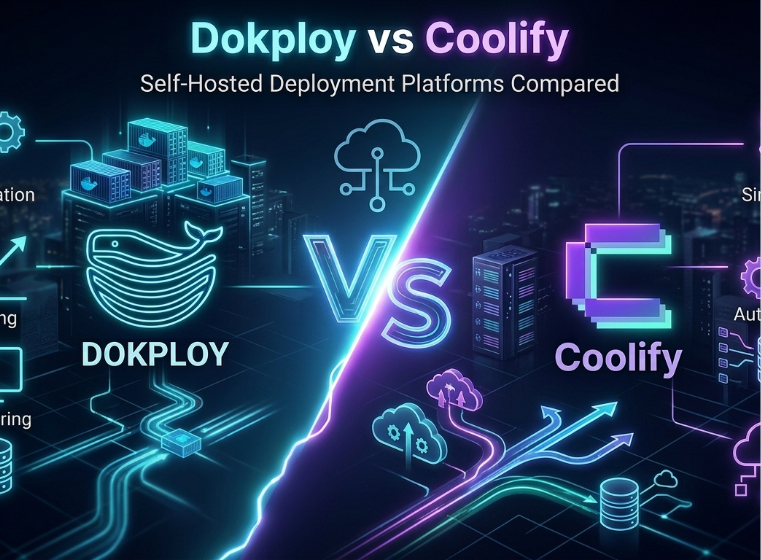
Dokploy vs Coolify: Which Self-Hosted PaaS Should You Choose?
Modern developers increasingly prefer self-hosted deployment platforms to avoid vendor lock-in and expensive cloud platform fees. Two popular tools that make this possible are Dokploy and Coolify.
Both platforms allow you to deploy and manage applications on your own infrastructure, such as a VPS or dedicated server, while providing an experience similar to traditional Platform-as-a-Service (PaaS) providers.
But although they solve the same problem, they approach it in slightly different ways. This article compares Dokploy and Coolify based on their features, usability, integrations, performance, and ideal use cases.
What is Coolify?
Coolify is an open-source, self-hosted PaaS platform designed to simplify application deployment on your own servers. It allows developers to connect their Git repositories and deploy applications automatically while handling infrastructure tasks like container management, HTTPS configuration, and database provisioning.
Coolify works with multiple programming languages and frameworks including Node.js, PHP, Python, Go, and more. It also supports Docker-based deployments and offers one-click database services.

Key Features of Coolify
- User-friendly dashboard – A structured interface that organizes applications, services, domains, and backups clearly.
- Automatic SSL certificates – Built-in integration with Let’s Encrypt to secure applications automatically.
- Git-based deployments – Connect repositories and deploy automatically through CI/CD workflows.
- One-click services – Quickly deploy databases such as PostgreSQL, MySQL, and Redis.
- Flexible deployment methods – Supports Dockerfiles, Docker Compose, and automated builds.
Coolify is often compared to managed platforms like Heroku but with the advantage that you fully control your infrastructure.
What is Dokploy?
Dokploy is another open-source deployment platform designed primarily for Docker-based application management. It provides a modern web interface where developers can deploy containerized applications, monitor system metrics, and manage multiple services across servers.
Dokploy focuses heavily on deployment automation, scalability, and monitoring, making it especially attractive for teams working with containerized architectures.

Key Features of Dokploy
- Docker-first architecture for containerized applications
- Multiple build options including Docker, Nixpacks, and buildpacks
- Built-in monitoring metrics (CPU, memory, disk usage)
- Multi-server deployment support for scaling applications
- Volume and database backups using S3-compatible storage
Dokploy also integrates with popular Git platforms like GitHub, GitLab, and Bitbucket for automated deployments.
Dokploy vs Coolify: Key Differences Although both tools provide similar capabilities, they differ in their focus and workflow.
1. Ease of Use Coolify is widely considered easier for beginners. Its interface organizes resources into clear categories, making it easier to learn and navigate. Dokploy’s interface is more deployment-focused and modern but assumes some familiarity with container-based workflows. Winner: Coolify (for beginners)
2. Deployment Options Both platforms support: Dockerfiles Docker Compose Git-based deployments Automated builds However, Dokploy supports additional build methods such as buildpacks, which can be helpful when working with different project types. Winner: Dokploy
3. Supported Databases Coolify supports a wider variety of database templates out of the box, including: PostgreSQL MySQL Redis MongoDB MariaDB ClickHouse DragonFly Dokploy supports the most common databases but focuses more on deployment rather than offering many pre-configured services. Winner: Coolify
4. Integrations Dokploy integrates with more external platforms and communication tools, including: Slack Telegram Discord Email notifications Webhooks Coolify also provides integrations and APIs but focuses more on deployment simplicity. Winner: Dokploy
5. Performance and Scalability Both platforms rely on Docker, so the underlying performance is mostly dependent on your server resources. However, Dokploy includes stronger built-in support for: multi-server deployments container clustering system monitoring This makes it better suited for large applications or microservice architectures. Winner: Dokploy
6. Security Both platforms support HTTPS through automatic SSL certificates and allow full control over server infrastructure. Coolify stands out because it provides automatic SSL setup and onboarding guidance, which makes secure deployment easier for beginners. Winner: Coolify
Pricing
Both platforms are free and open source when self-hosted. Managed cloud options are also available:
- Coolify managed plan – starting around $5 per month
- Dokploy managed plan – starting around $4.50 per month
However, most users simply run either platform on their own VPS, meaning the main cost is your server.
When to Choose Coolify
Coolify is a great choice if you:
- Want an easy-to-learn deployment platform
- Need many built-in database templates
- Prefer a structured dashboard
- Are deploying multiple types of applications
It works especially well for solo developers and small teams looking for a Heroku-like experience on their own servers.
When to Choose Dokploy
Dokploy may be the better option if you:
- Work heavily with Docker and containerized applications
- Need built-in monitoring and automation tools
- Plan to scale across multiple servers
- Want more deployment automation and integrations
It is particularly suitable for DevOps teams and large projects using microservices.
In Conclusion Both Coolify and Dokploy are powerful open-source platforms that let developers deploy applications without relying on expensive cloud PaaS providers.
- Coolify focuses on simplicity, flexibility, and a full PaaS experience.
- Dokploy focuses on fast deployments, container workflows, and scalability.
NOTE: If you want a beginner-friendly self-hosted PaaS, Coolify is usually the better choice. If your workflow revolves around Docker containers and scaling deployments, Dokploy may be the stronger platform. Ultimately, the best option depends on your development workflow and infrastructure needs.
Recent Posts



0 Comments
No comments yet. Be the first to comment!